

composer require digitalzombies/be-inviteExtension key:be_invite · Composer:digitalzombies/be-invite · TYPO3: 14 LTS
Onboarding a new backend user normally means creating the account, inventing a password, and then sending that password to the person somehow — email, chat, a sticky note. The password exists in a channel you do not control, and it usually stays there.
This extension replaces that with an invitation. The administrator enters an email address and picks the user groups; the invitee receives a link and chooses their own password. Nobody ever handles a password that belongs to somebody else.
The invitation flow
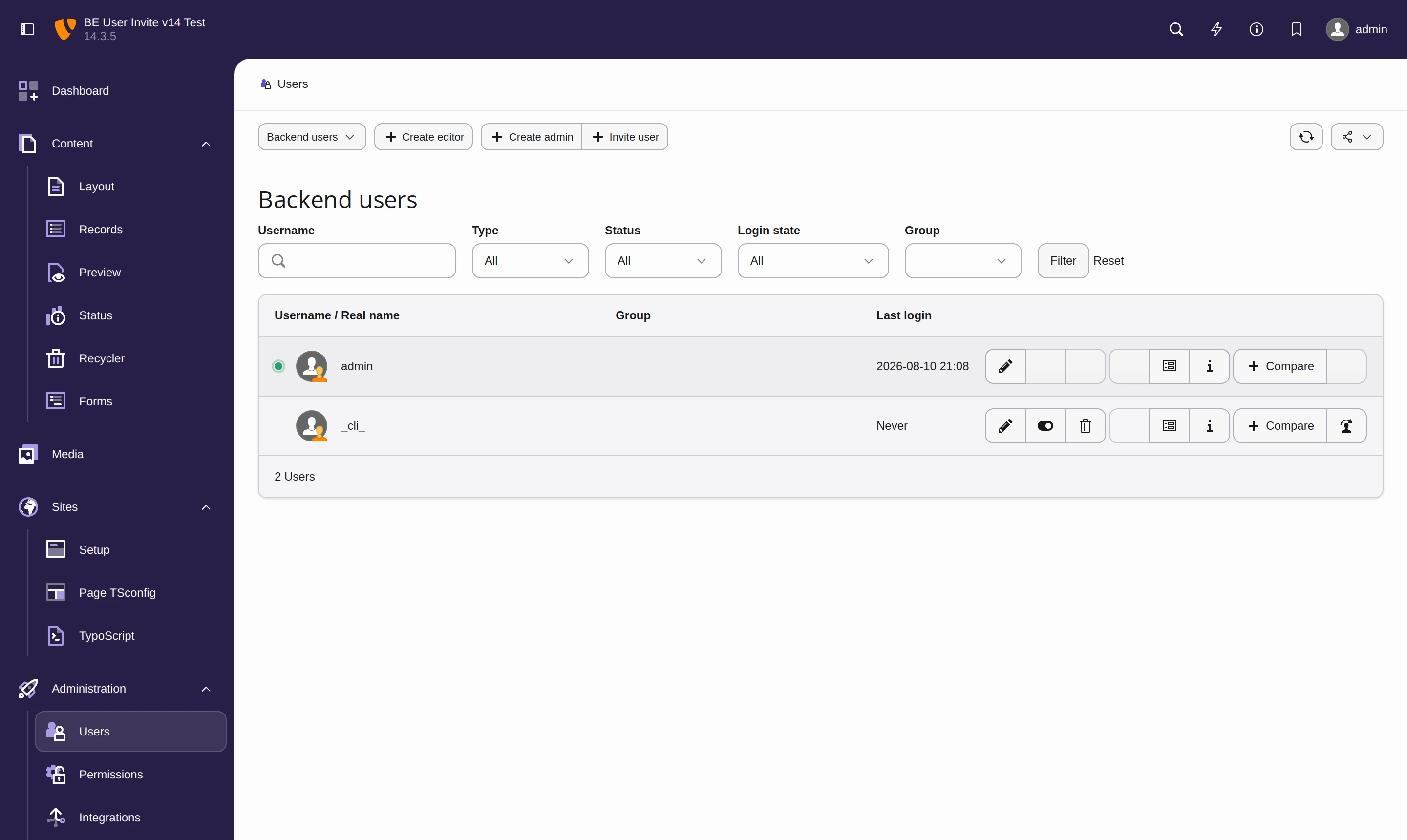
1. The administrator opens System › Backend Users
An Invite user button sits next to TYPO3's own Create editor / Create admin buttons. It is only rendered for administrators, and only on the user listing.
2. Entering the invitee's details
The modal asks for an email address, an optional name, and at least one backend user group. The group list is loaded from the server when the modal opens, so it always reflects the groups that currently exist.
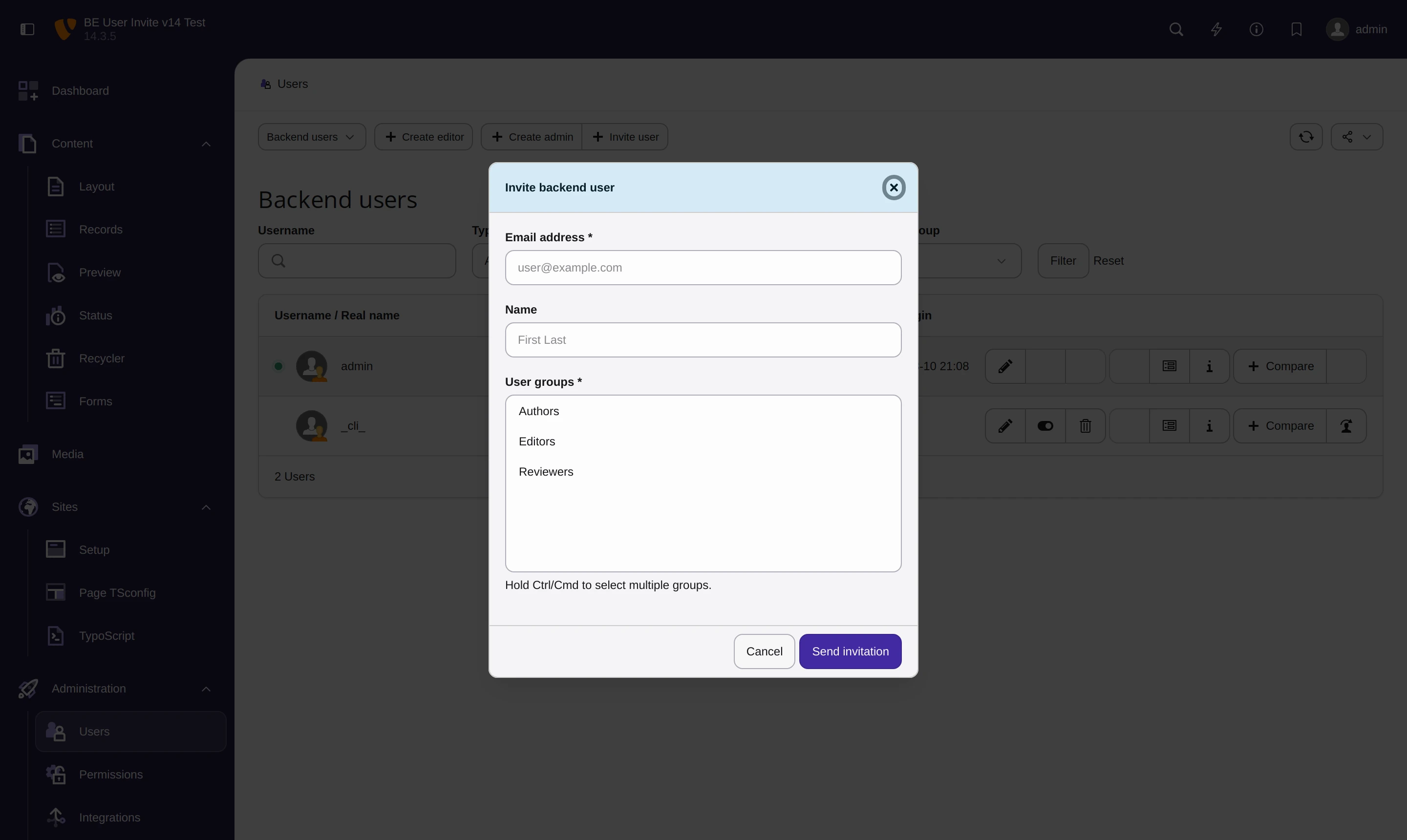
The email address becomes the new user's username — there is no separate username to invent or communicate.
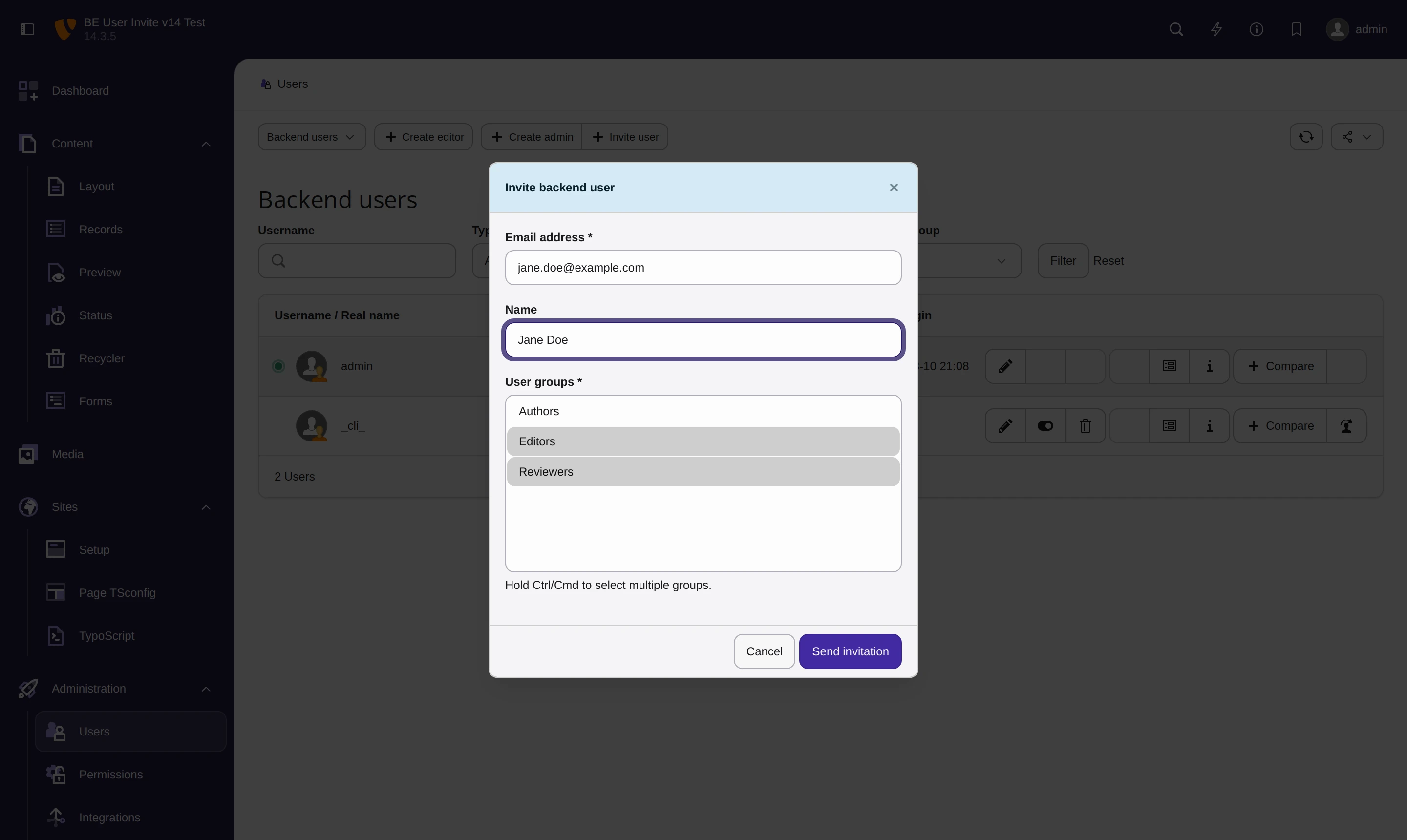
3. TYPO3 asks the administrator to confirm
Creating a backend account is a privileged operation, so TYPO3's sudo mode requires the administrator to re-enter their own password. An unattended, still-logged-in session cannot be used to grant somebody backend access.
4. The invitation goes out
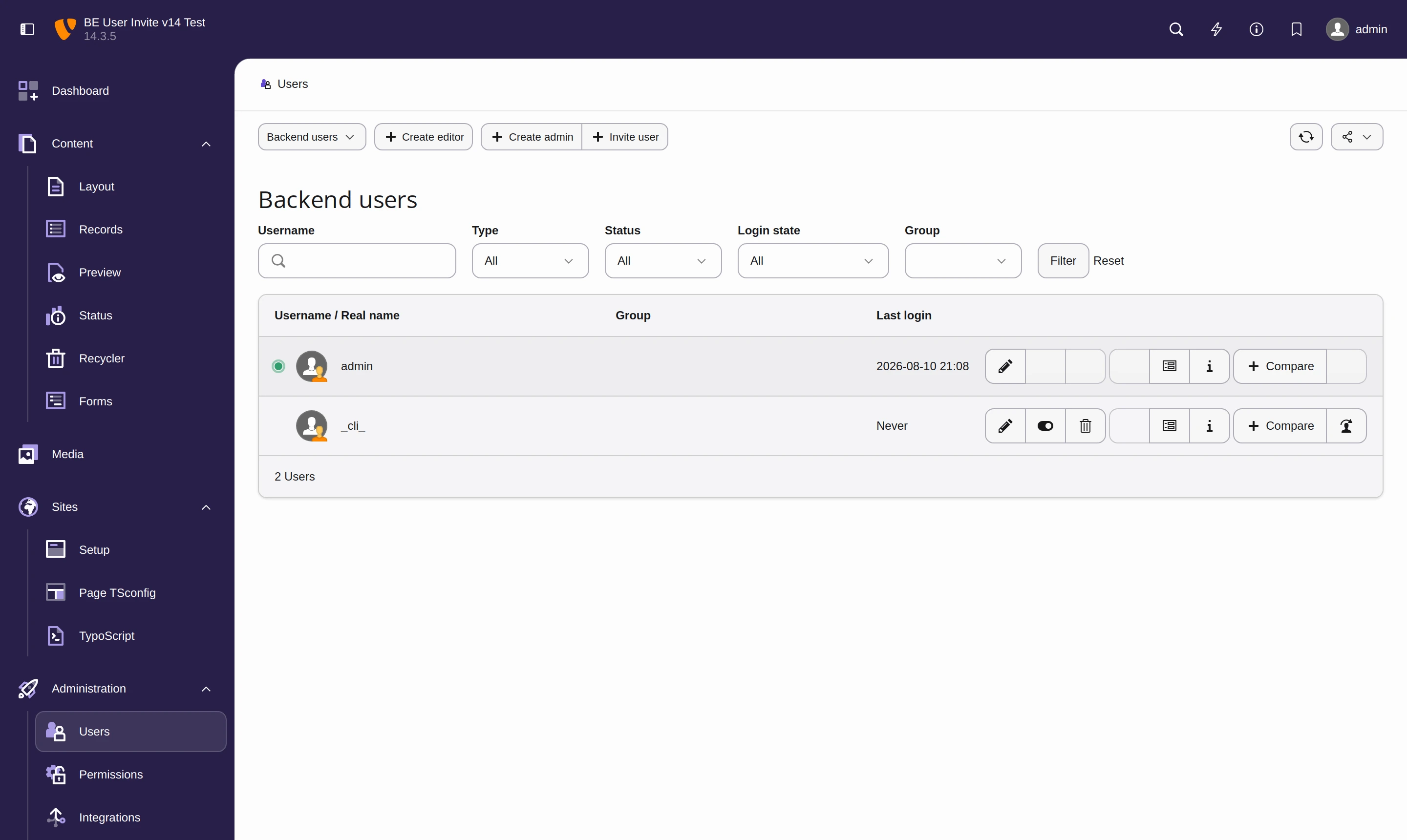
The account now exists, is enabled, and carries the selected groups — but it has no password anybody knows, and it has never been logged into.
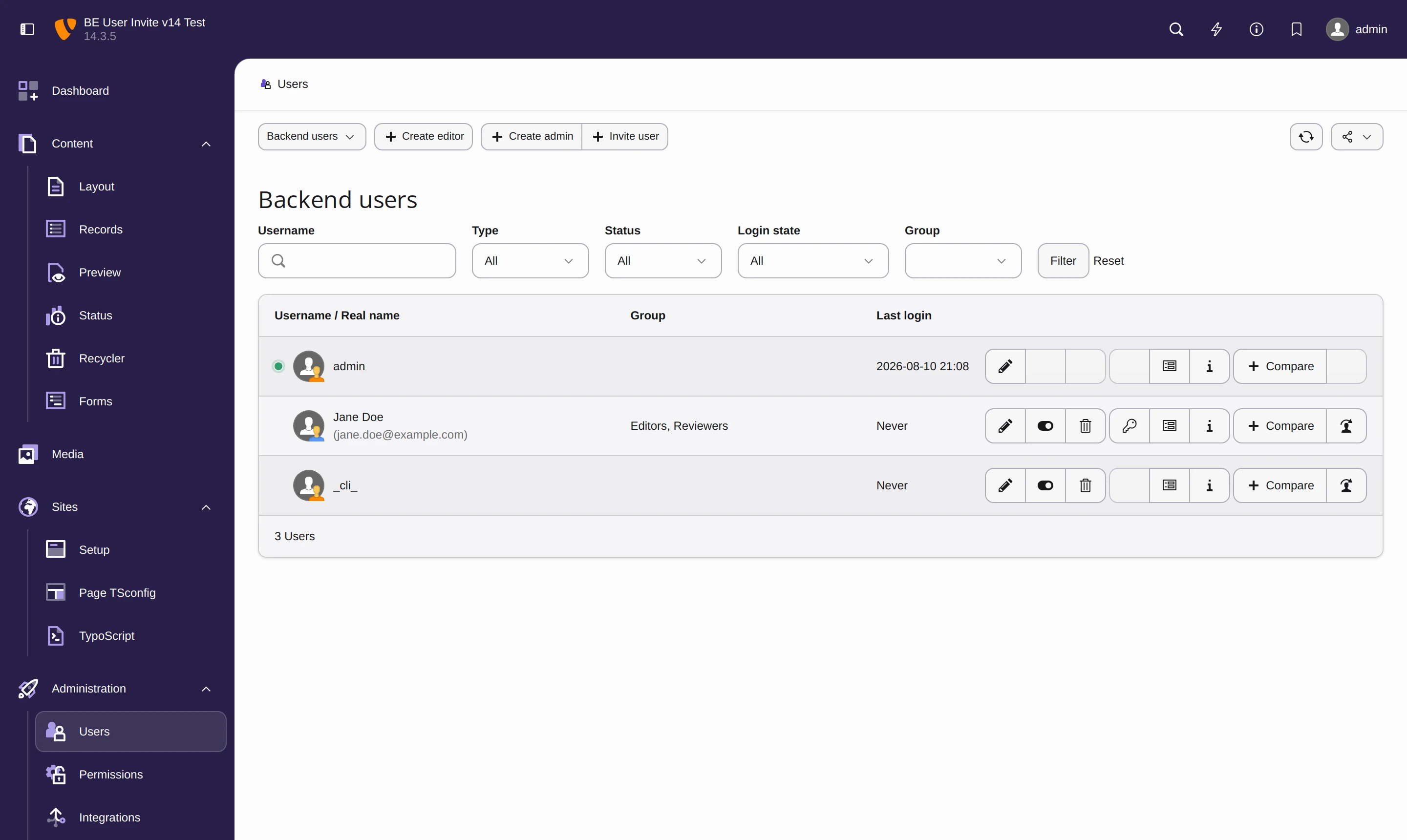
5. The invitee receives the email
The email states the username and carries an activation link that is valid for 48 hours. It is sent as both HTML and plain text.
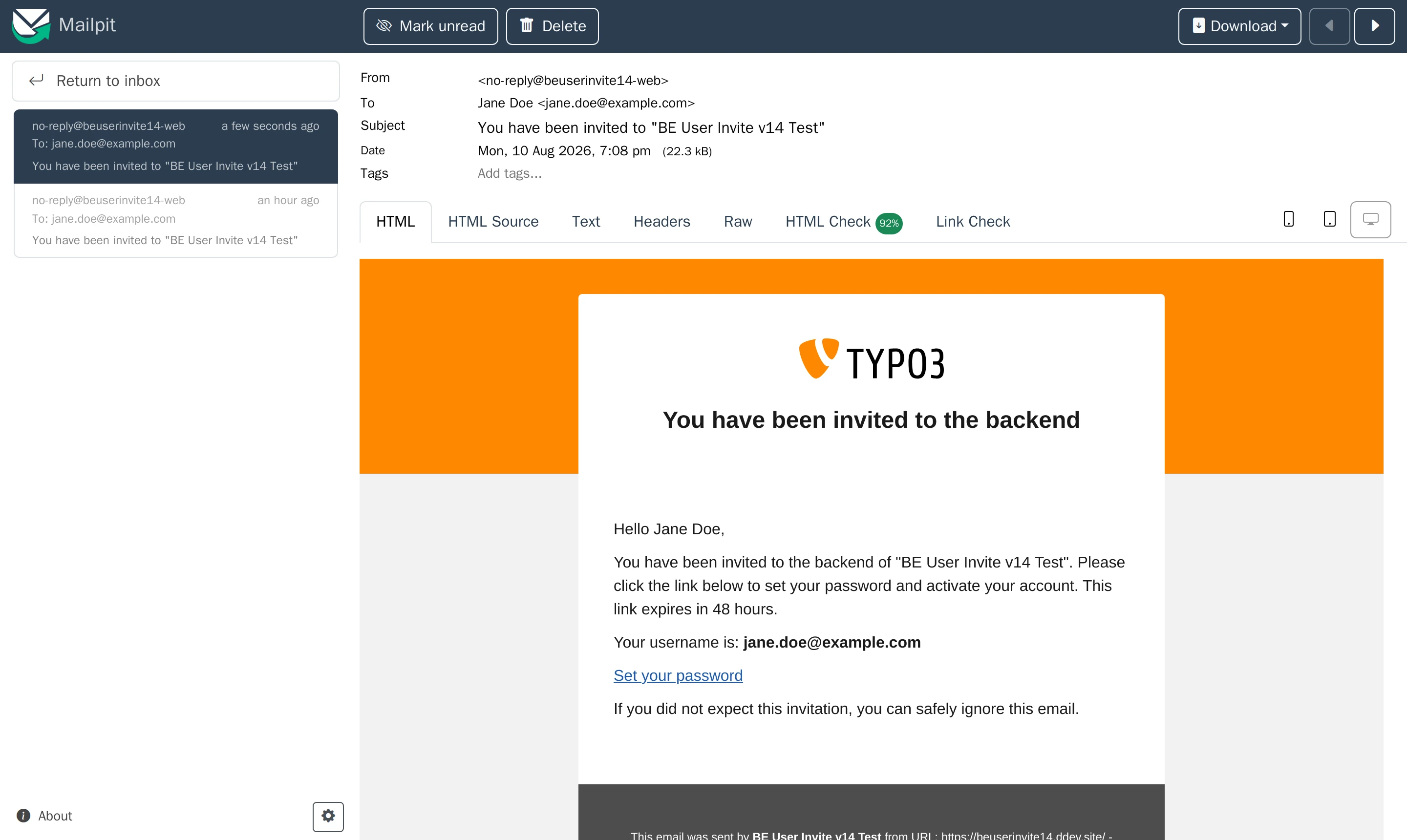
6. The invitee sets their own password
The link opens TYPO3's own password reset screen — no custom form, no extra code path, and the site's password policy applies exactly as it does everywhere else.
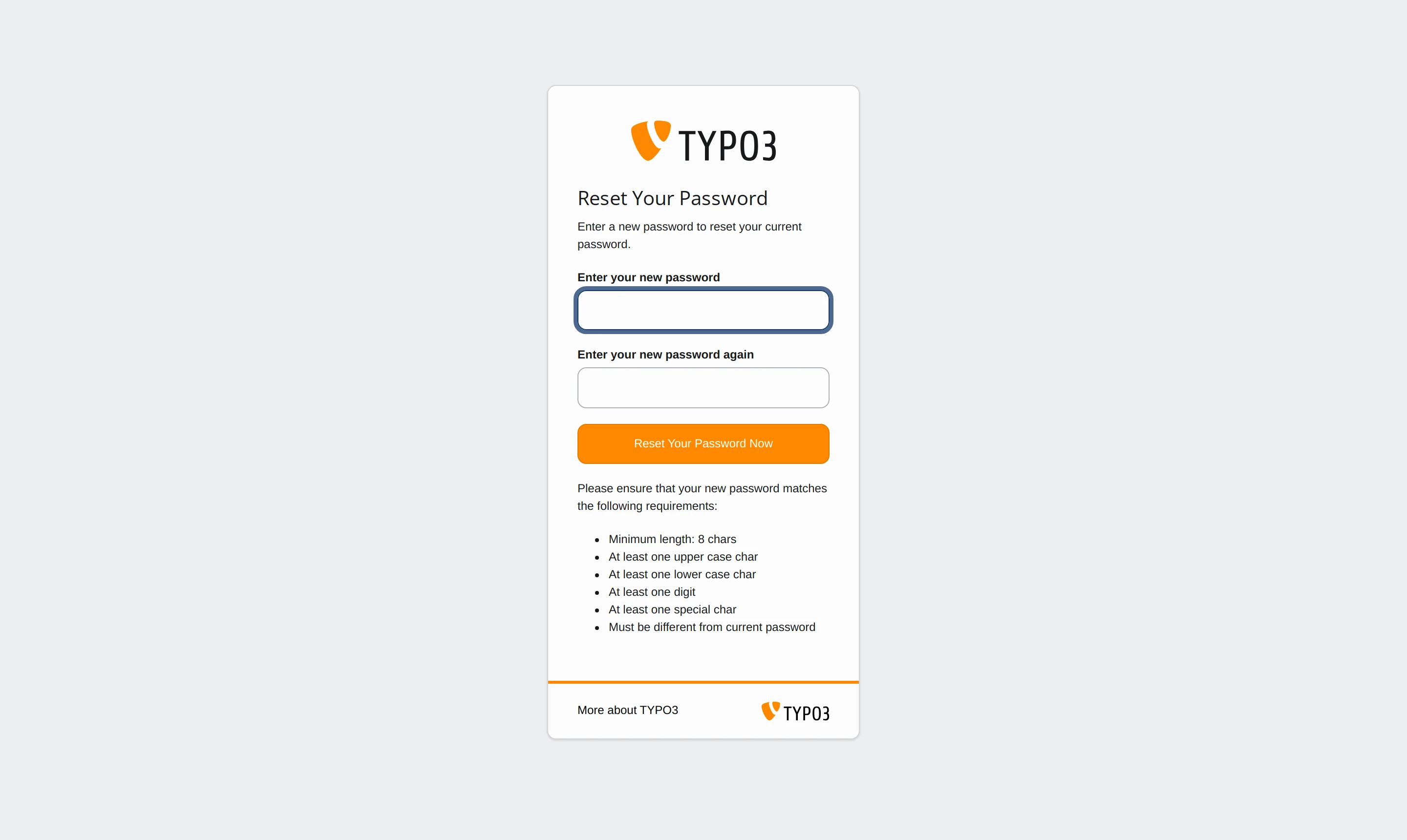
After setting the password, the invitee can log in with their email address and the password they just chose.
What happens behind the scenes
| Step | What the extension does |
|---|---|
| Validation | Trims and lowercases the email, rejects malformed addresses, addresses longer than 50 characters (the width of be_users.username), and requests without a group |
| Duplicate check | Refuses the invitation if the email or username already belongs to any account — including disabled and time-restricted ones |
| Account creation | Writes the record through TYPO3's DataHandler with a long random placeholder password, admin = 0, enabled, on the root level |
| Activation link | Generates a token exactly the way TYPO3 core generates password reset tokens, but with a 48-hour lifetime instead of 2 hours, and stores it hashed |
Renders the Fluid templates Invitation.html / Invitation.txt and sends them through the configured TYPO3 mailer |
If the account was created but the email could not be delivered, the administrator is told so explicitly — the account exists at that point, and the right recovery is a normal password reset, not a second invitation.
Security properties
- Admin only. Both AJAX endpoints verify
$GLOBALS['BE_USER']->isAdmin()server-side. Hiding the button is not the access control; the endpoints are. Without this the group endpoint alone would let any editor enumerate every backend user group. - Sudo mode. Account creation triggers TYPO3's step-up authentication.
- No password disclosure. The placeholder password is random, never displayed, never logged, and stored only as a hash.
- No internal error leakage. DataHandler messages, SQL errors and mailer configuration are logged via PSR-3 and replaced with a generic message before reaching the browser.
- Existing accounts are never silently altered. A colliding invitation is refused with HTTP 409, and a record that loses a race against a concurrent insert is rolled back.
One consequence worth knowing: the invitation link is validated by core's
password_reset_validate route, which does not consult
$GLOBALS['TYPO3_CONF_VARS']['BE']['passwordReset']. If password reset was switched off
deliberately on this installation, this extension reopens that path for invited users.
Requirements and installation
TYPO3 14.0–14.99 and PHP 8.2+. The extension uses the v14 ComponentFactory, the
#[AsEventListener] attribute and the v14 HashService, and is not backwards compatible
with TYPO3 13.
composer require digitalzombies/be-invite
Flush the caches afterwards. There is no database schema change, no TypoScript and nothing to configure — but a working mail setup is required.
Customising the email
The templates are registered under MAIL/templateRootPaths[1700000000]. Register your own
path with a higher key and provide Invitation.html / Invitation.txt:
$GLOBALS['TYPO3_CONF_VARS']['MAIL']['templateRootPaths'][1700000100]
    = 'EXT:my_sitepackage/Resources/Private/Templates/Email/';
Available variables: name, email, resetLink.
The shipped templates are English only. At invitation time the recipient has no backend account and therefore no language preference, so no language is selected automatically.
Interface language
The backend UI ships in English, German and Hungarian. Labels live in
Resources/Private/Language/{locallang,de.locallang,hu.locallang}.xlf and are shared by
the PHP code and the JavaScript module.